Why put your MRR on your desk
Every founder has the same reflex: open the Stripe dashboard "just to check", then lose ten minutes. A revenue number you have to go looking for is a distraction. A revenue number that is simply there, in the corner of your eye, is a habit.
That is the idea behind this integration. MRR Calendar already tracks your MRR, your daily sales and your GitHub commits. Now those numbers can live on a Mountain DisplayPad — twelve small LCD keys on your desk — and refresh on their own while you work on a Mac.
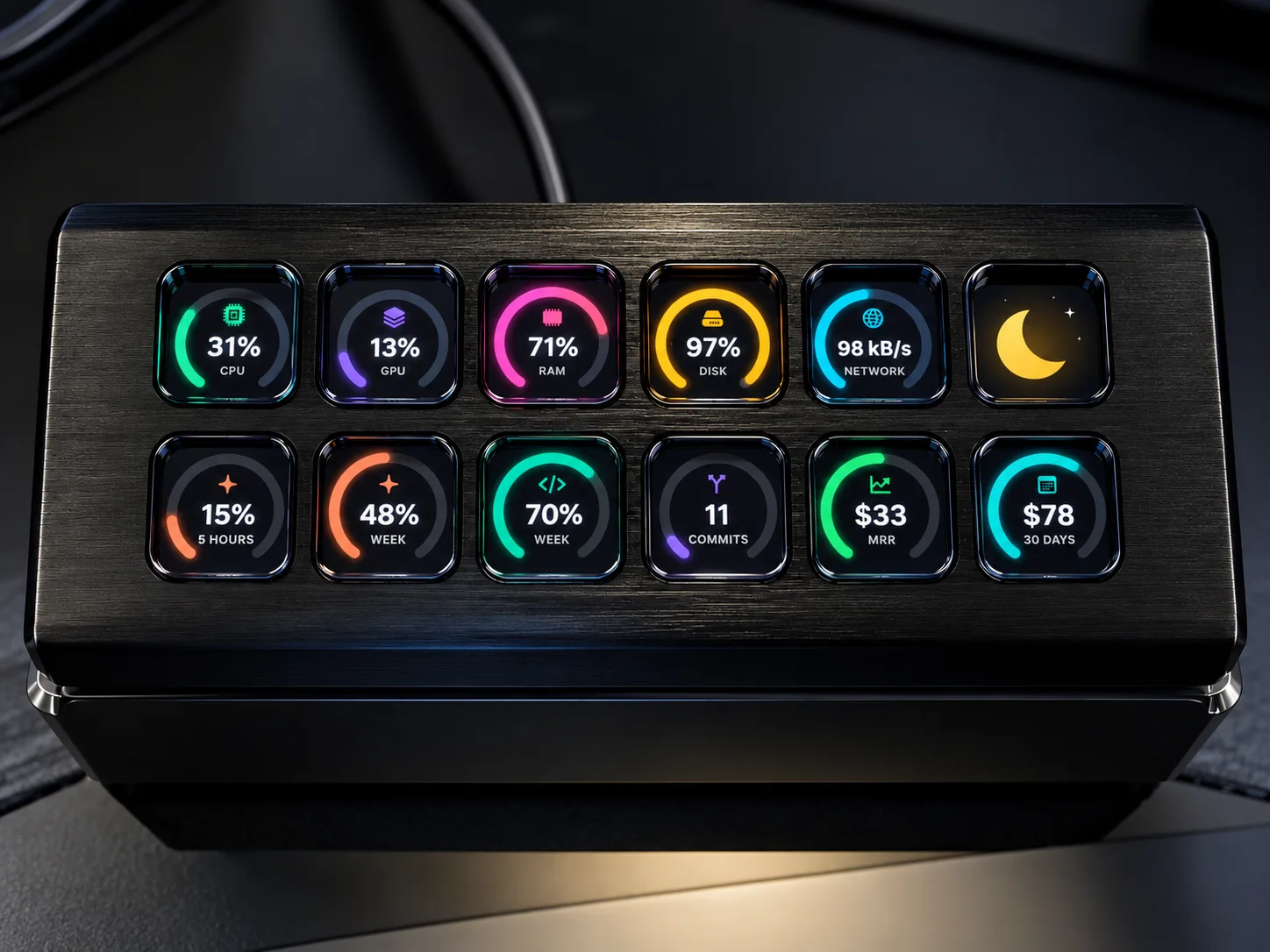
No browser tab, no dashboard to refresh, no Zapier glue. Glance down, see the number, get back to building.
What you can show
Four MRR Calendar metrics are available as live keys. Each one is a gauge with the value in the middle, drawn in the same style as the system keys next to it.
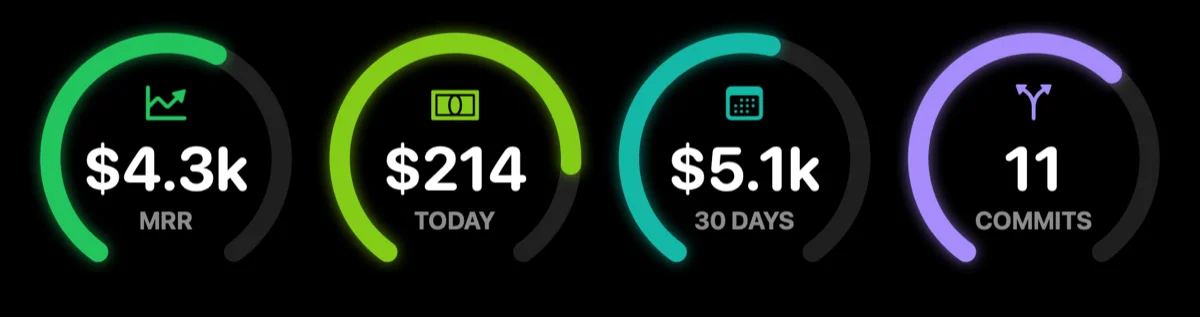
| Key | Value | What the ring means |
|---|---|---|
| MRR | Your current monthly recurring revenue | 30-day MRR trend: half full is flat, more is growth |
| Today | Revenue collected today | Today compared with your best day of the last 30 days |
| 30 days | Revenue over the last 30 days | 30-day revenue trend |
| Commits | GitHub commits pushed today | Today compared with your busiest day of the last 30 days |
Revenue comes from your Stripe account connected to MRR Calendar, in your reporting currency. Commits come from your GitHub connection: if GitHub is not connected, the commits key shows a dash.
The rest of the pad is yours. The same app can show CPU, GPU, RAM, disk, network, the clock, the volume, your Claude and Codex usage limits, or launch apps, shortcuts and scripts. A single key can even switch everything off for the night.
What you need
- A Mountain DisplayPad (the 12-key LCD macro pad).
- A Mac running macOS 13 or later.
- Everest, a free and open-source macOS app for Mountain devices. Mountain's own Base Camp software is Windows-only; Everest is what makes the DisplayPad work on a Mac. Get it from github.com/Amorem/everest-mac.
- An MRR Calendar account with at least one revenue source connected.
Connect in three steps
Step 1 — Create a personal access token. In MRR Calendar, open Account → Integrations and find Personal access tokens. Name the token after the device (for example "DisplayPad") and create it. Copy it right away: it starts with mrrc_ and is shown only once.
Step 2 — Paste it into Everest. In Everest, open System, paste the token into the MRRCalendar card and click Connect. Everest checks the token with MRR Calendar before keeping it. Once accepted, the card shows Connected with your current MRR, today's revenue and today's commits.

Step 3 — Put the metrics on keys. Open the DisplayPad page, click a key, then Presets and icon… → Live and pick MRR, Revenue today, Revenue 30 days or Commits today. The pad updates within a second. Drag a key onto another one to reorder them.
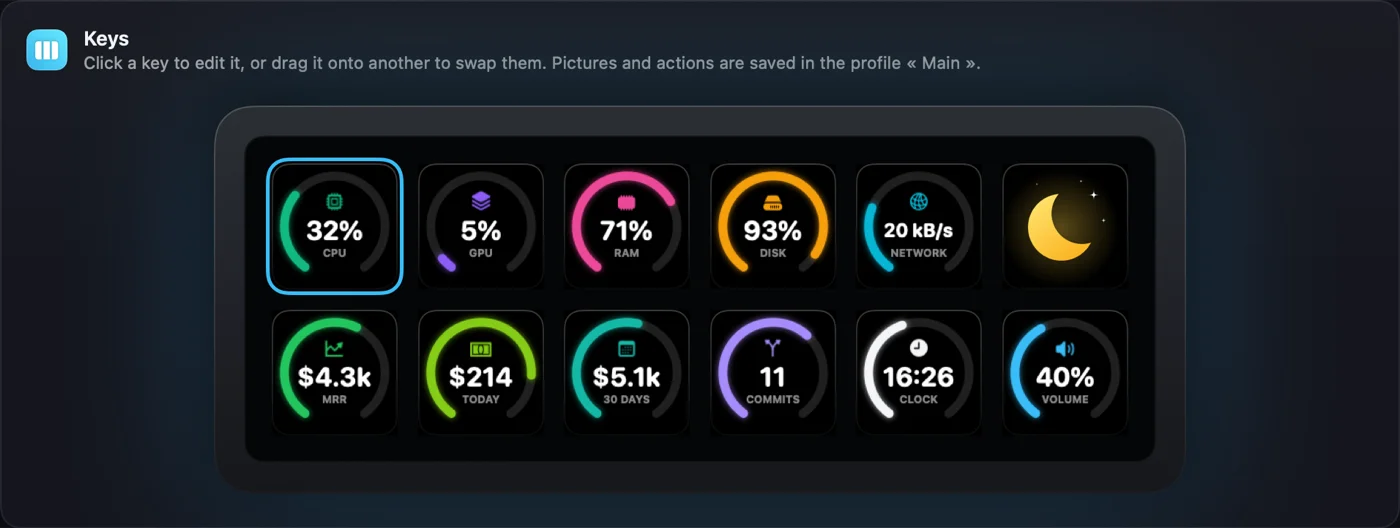
That is it. Everest refreshes the numbers in the background every five minutes, keeps the last answer for an instant display after a restart, and keeps showing them while the window is closed.
Privacy and security
The token is read-only: it can read your own summary numbers and nothing else. It cannot change settings, see customer details or touch your payment providers.
On the Mac, Everest stores the token in the macOS Keychain, not in a configuration file. On the MRR Calendar side, only a hash of the token is kept, so it cannot be read back.
To stop the connection, click Disconnect in Everest, or revoke the token in Account → Integrations. A revoked token stops working immediately.
What about Elgato Stream Deck?
Stream Deck is the best-known macro pad, so it is the first question. There is no native Stream Deck plugin for MRR Calendar today. The DisplayPad is the supported device.
The data itself is not tied to one device, though. Everest reads a small JSON endpoint, GET https://mrrcalendar.com/api/public/v1/metrics, with the token in an Authorization: Bearer header. Any tool that can call an HTTP endpoint with that header can read the same numbers: a menu-bar script, a home-screen widget, a Raycast command, or a generic Stream Deck HTTP plugin if you are comfortable setting one up.
curl -H "Authorization: Bearer mrrc_your_token" \
  https://mrrcalendar.com/api/public/v1/metrics
The response includes MRR, ARR, active subscriptions, today's and 30-day revenue with the daily series, commit counts and 30-day trends. It is rate-limited to 60 requests per minute per token and cached for a minute, so polling every few minutes is plenty.
Frequently asked questions
Does the Mountain DisplayPad work on a Mac?
Not with Mountain's software, which only runs on Windows. Everest, a free open-source app, adds DisplayPad support on macOS: pictures, actions, profiles, brightness and live keys such as MRR, sales and commits.
How often do the numbers refresh?
Everest asks MRR Calendar for new numbers every five minutes. Revenue in MRR Calendar itself follows the sync of your payment providers.
Can I show several projects separately?
The keys show the totals of your MRR Calendar account, all projects together, in your reporting currency.
Is my revenue data shared with anyone?
No. The numbers travel directly from MRR Calendar to your Mac over HTTPS. Nothing is published, and the token only works for your own account.
Can I use the same token on several Macs?
Yes, but one token per device is better: you can then revoke a single Mac without touching the others. You can create up to 20 tokens.