The short answer
You bought a Mountain Everest Max or a DisplayPad, you plugged it into your Mac, and you went looking for the software. Mountain's software is called Base Camp, and it does not exist for the Mac: Mountain tests it on Windows 10 and 11 only.
The keyboard still types on a Mac. What you are missing is everything that made you buy it: the RGB lighting, the D1 to D4 display keys, the dial screen and the profiles.
Everest for Mac is a free, open-source app that gives those back on macOS. It talks to the device directly, with no driver and no Windows virtual machine.
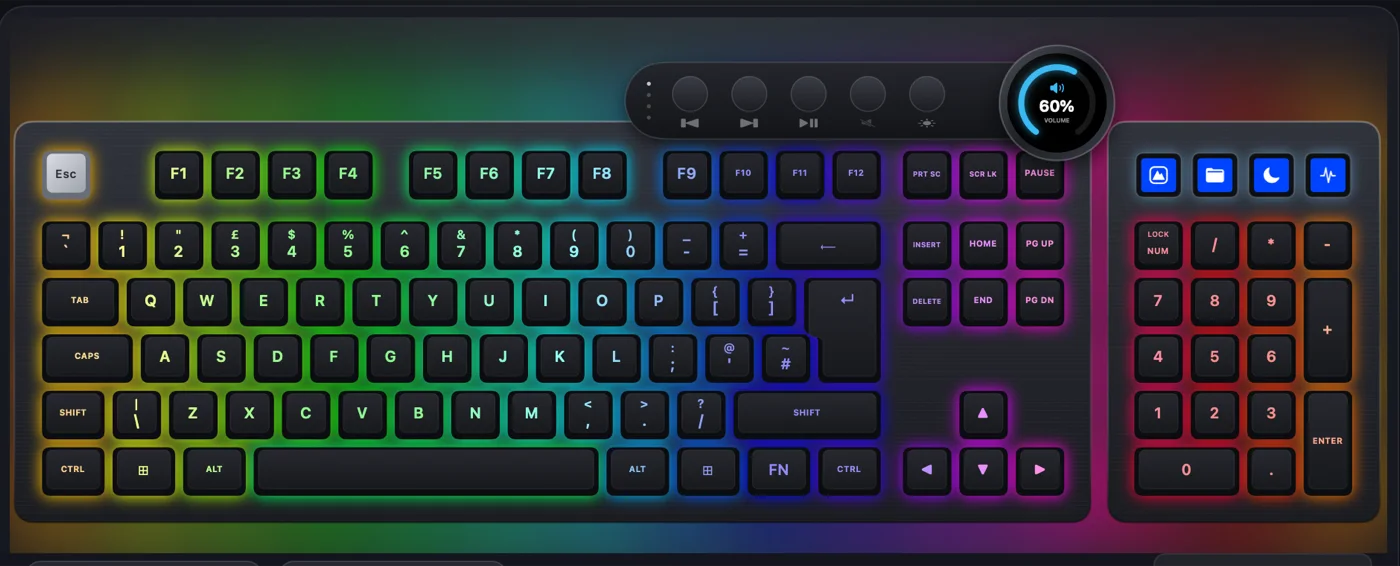
What works on a Mac without any software
The Everest Max is a USB keyboard, so a Mac uses it straight away, with two surprises worth knowing:
- The display keys send Windows shortcuts. The keyboard stores its own shortcut for each of D1 to D4, and on a Mac they become ⌘1, ⌘2 and so on. That is why a D key can type a digit or open an app by itself.
- The key left of Z may print nothing on an ISO board. macOS can take the keyboard for an ANSI one.
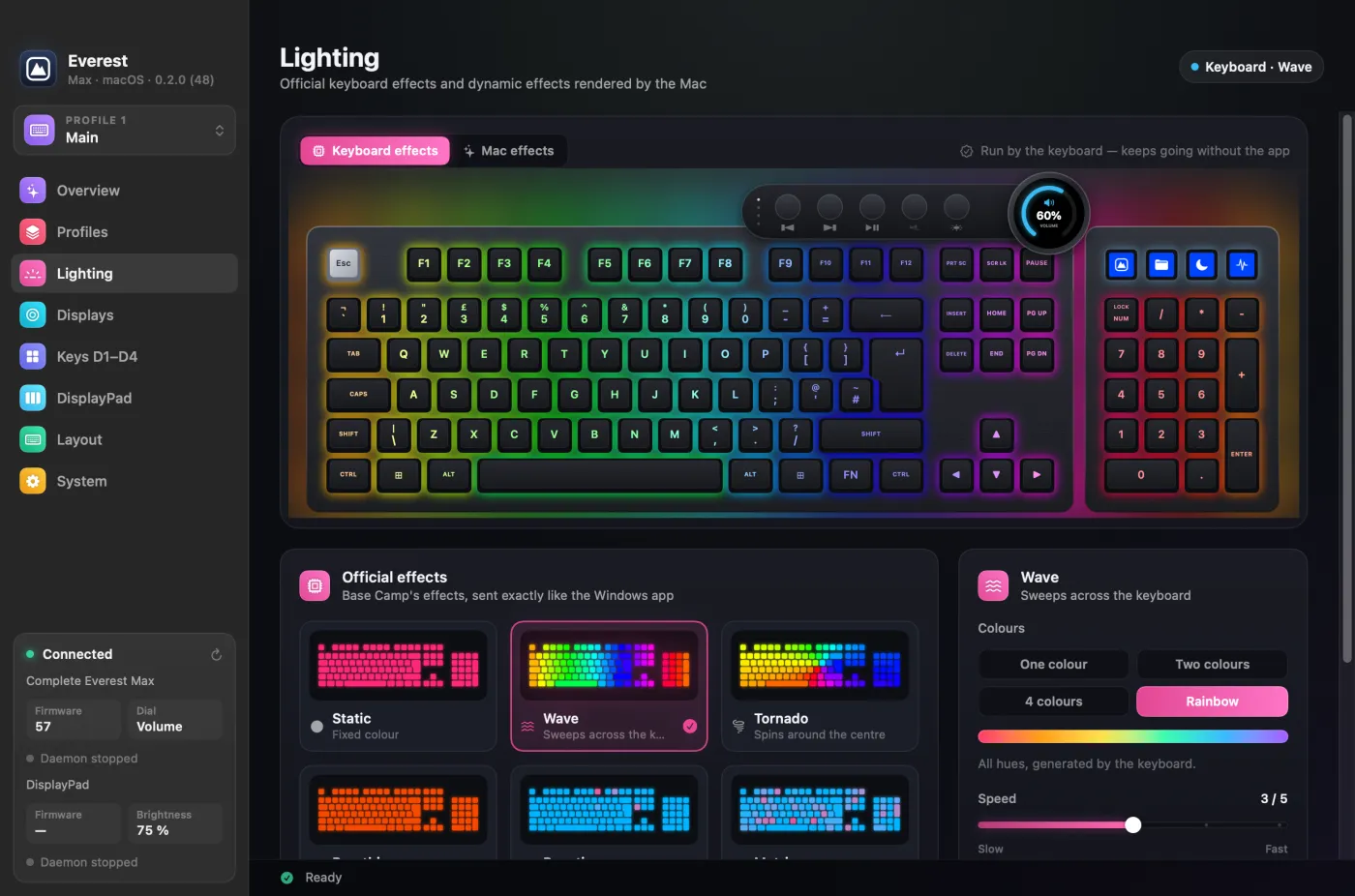
The lighting saved in the keyboard keeps running, but nothing on the Mac can change it. Everest fixes all of this.
How to control your Mountain keyboard on a Mac
Step 1: download Everest for Mac. Download the disk image. It is one universal file for Apple silicon and Intel Macs, on macOS 13 or later, with no account to create.
Step 2: install it. Open the disk image and drag Everest onto Applications. It is notarized by Apple, so macOS opens it without any workaround, and it keeps itself up to date.
Step 3: plug in your keyboard or DisplayPad. Open Everest. It finds the device, reads its firmware and detects its layout. If your keys will send shortcuts or typed text, macOS asks you to grant Accessibility once.
What you can do from macOS
| On the keyboard | In Everest for Mac |
|---|---|
| RGB lighting | The keyboard's own effects, a dozen per-key effects rendered on the Mac, your palettes and per-key painting |
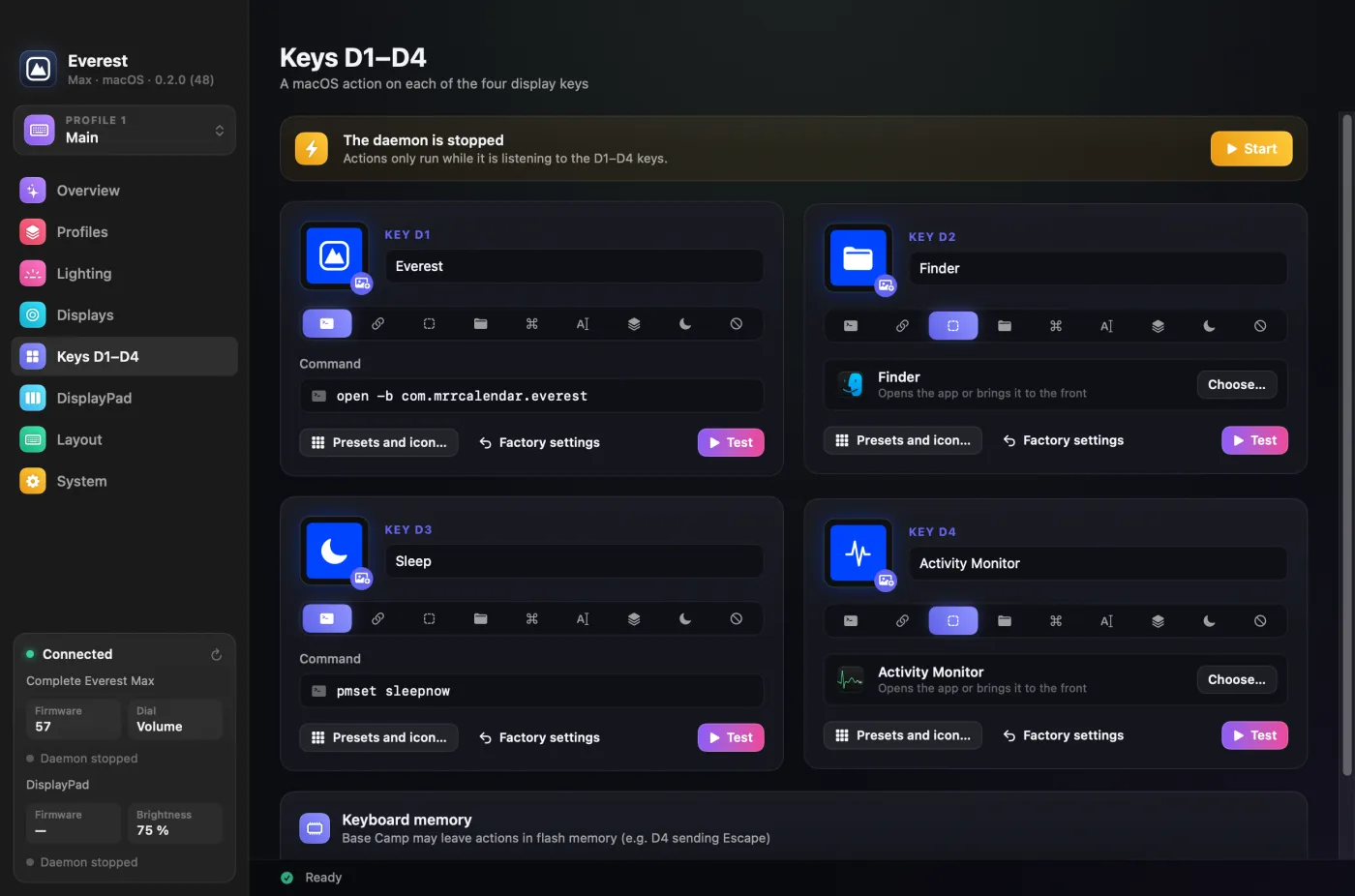
| Display keys D1 to D4 | Ready-made icons, any app's icon or your own image, each with an action: an app, a URL, a shortcut, typed text or a command |
| Dial screen | Clock, CPU, GPU, RAM, disk, network or volume gauges, or a custom image |
| Five profiles | Their own lighting, keys and dial, switching by themselves when a linked app comes to the front |
| Layout | Read from the keyboard, with the matching legends and a fix for the ISO key |
For each display key, pick a picture and an action.
And the DisplayPad?
The separate twelve-key DisplayPad works the same way: pictures, actions and brightness per profile, plus live keys for CPU, GPU, RAM, disk, network, volume and the time. Mountain's software does not run on a Mac for this one either.
If you run a business, it can also show your revenue. See how to show your MRR, sales and commits on a DisplayPad.
What it will not do
Worth knowing before you install:
- Firmware updates stay on Windows. Mountain only distributes them through Base Camp, and Everest never flashes firmware. To update, plug the keyboard into a Windows PC, then bring it back to the Mac.
- Everest only writes to firmware it has been tested on. That means firmware 57 on the keyboard, and 8 or 4 on the DisplayPad. On any other version it sends nothing and explains why, so check your device first.
- Only the UK-ISO layout has been tested on hardware. The other layouts are detected and drawn from Base Camp's own tables, and the Everest Core is untested. The Everest 60, Makalu mice and MacroPad are not supported, because they use different protocols.
- Do not unplug the keyboard during a picture transfer. Pictures on D1 to D4 and the dial use the same mechanism as a firmware update, which is why Everest stays this careful. The software is provided as is, without warranty.
On Linux, the community project BaseCamp-Linux plays a similar role.
Frequently asked questions
Is there a Mac version of Mountain Base Camp?
No. Mountain tests Base Camp on Windows 10 and 11, and offers no macOS version. Everest for Mac is an independent, free app that fills that gap.
Does the Mountain Everest Max work on a Mac?
Yes. It is a USB keyboard, so it types on a Mac without any software. To control its lighting, display keys, dial and profiles from macOS, you need an app such as Everest for Mac.
Can I update the Everest Max firmware from a Mac?
No. Mountain only distributes firmware updates through Base Camp on Windows, and Everest never updates firmware. Plug the keyboard into a Windows PC to update it, then bring it back to the Mac.
Which Mountain products does Everest for Mac support?
The Everest Max and the DisplayPad. It writes only to firmware it has been tested on: 57 for the keyboard, 8 and 4 for the DisplayPad. UK-ISO is the only keyboard layout tested on hardware so far, and the Everest Core is untested. The Everest 60, Makalu mice and MacroPad are not supported.
Is Everest for Mac made by Mountain?
No. It is an independent open-source project, not affiliated with Mountain, and it is free.